 Aerilo
Let your Mac breathe.
One tap clears what your Mac doesn't need, finds what is slowing it down, and tells you the one thing that helps most.
Free and open source. No account. Needs macOS 26 or later. Open the disk image and drag Aerilo to Applications.
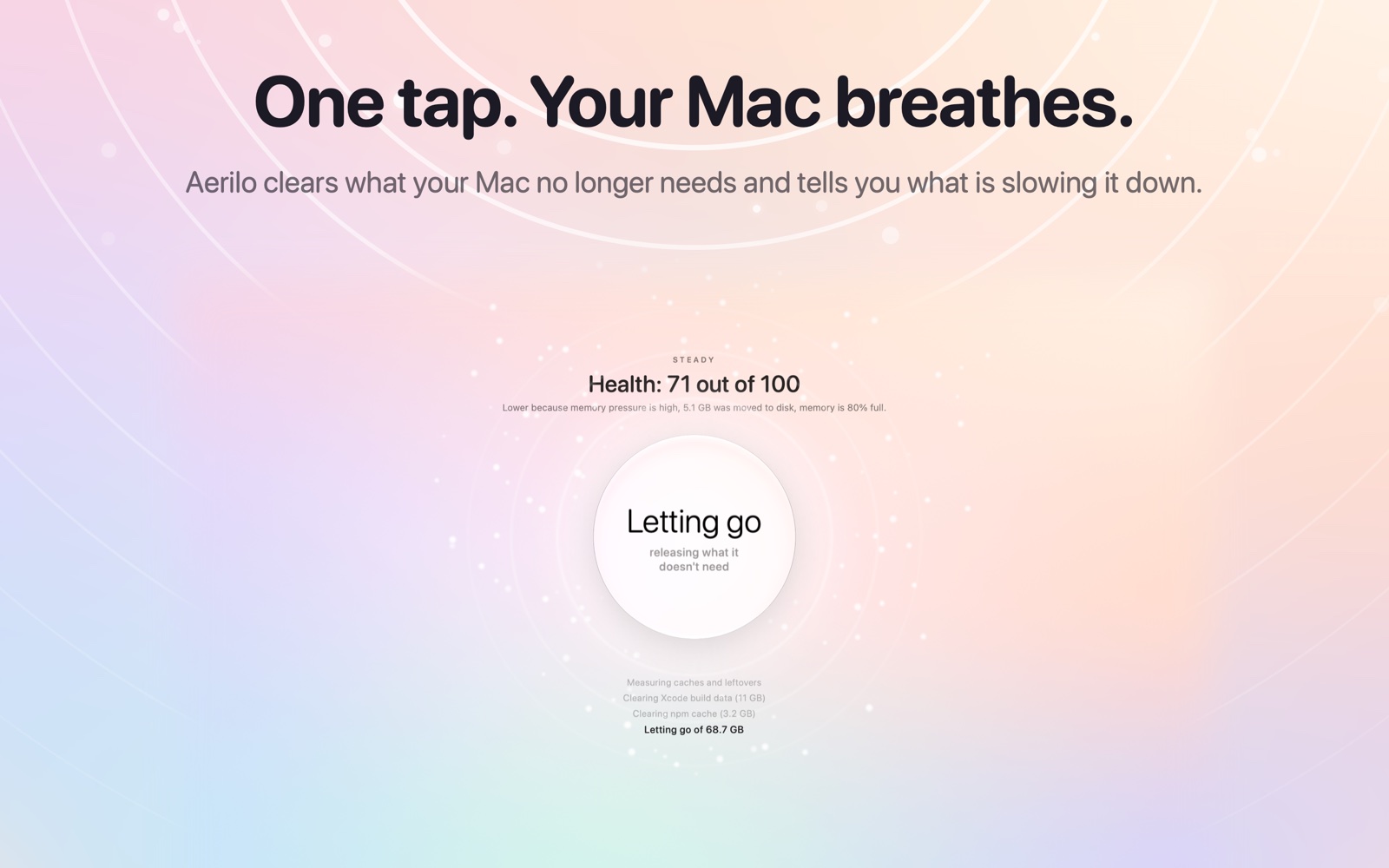
One button. Three things happen.
You don't choose settings or read charts. You tap, the Mac breathes in, and breathes out lighter. While it works, Aerilo tells you what it is doing, step by step.
It clears
Leftover installers, build data and caches that rebuild themselves. Aerilo measures first and never touches your documents.
It finds
Apps that are stuck, memory that keeps growing, heavy helpers, and what is using your connection.
It decides
Apple Intelligence, running on your Mac, picks the fix that helps most and explains it in one sentence.
It thinks before it acts.
Aerilo works like calm tech support that lives in your Mac. It looks at everything together, then suggests the least disruptive fix.
- You stay in charge. Aerilo never quits an app by itself. It asks, with one button per suggestion.
- It can only pick from real findings. The assistant chooses among problems Aerilo measured. It cannot invent an action.
- Ask it anything. "Why is my Mac slow today?" gets a plain answer from the current measurements.

See what weighs on your Mac.
A browser is one app to you and thirty processes to your Mac. Aerilo adds helpers up under the app they belong to.
- Stuck. An app that keeps a processor core busy for minutes without a pause.
- Memory growing. Memory that climbs and never comes back, the usual sign of a leak.
- Network. Live download and upload for every app.

Look inside any app.
A browser with forty tabs is one app and sixty processes. Aerilo opens it up and shows what each part holds.
- Tabs, extensions, tools. Each kind added up, heaviest first.
- Free just one. End a single heavy tab or language tool without quitting the app.
- Explained. One sentence on where the memory is and the gentlest fix.

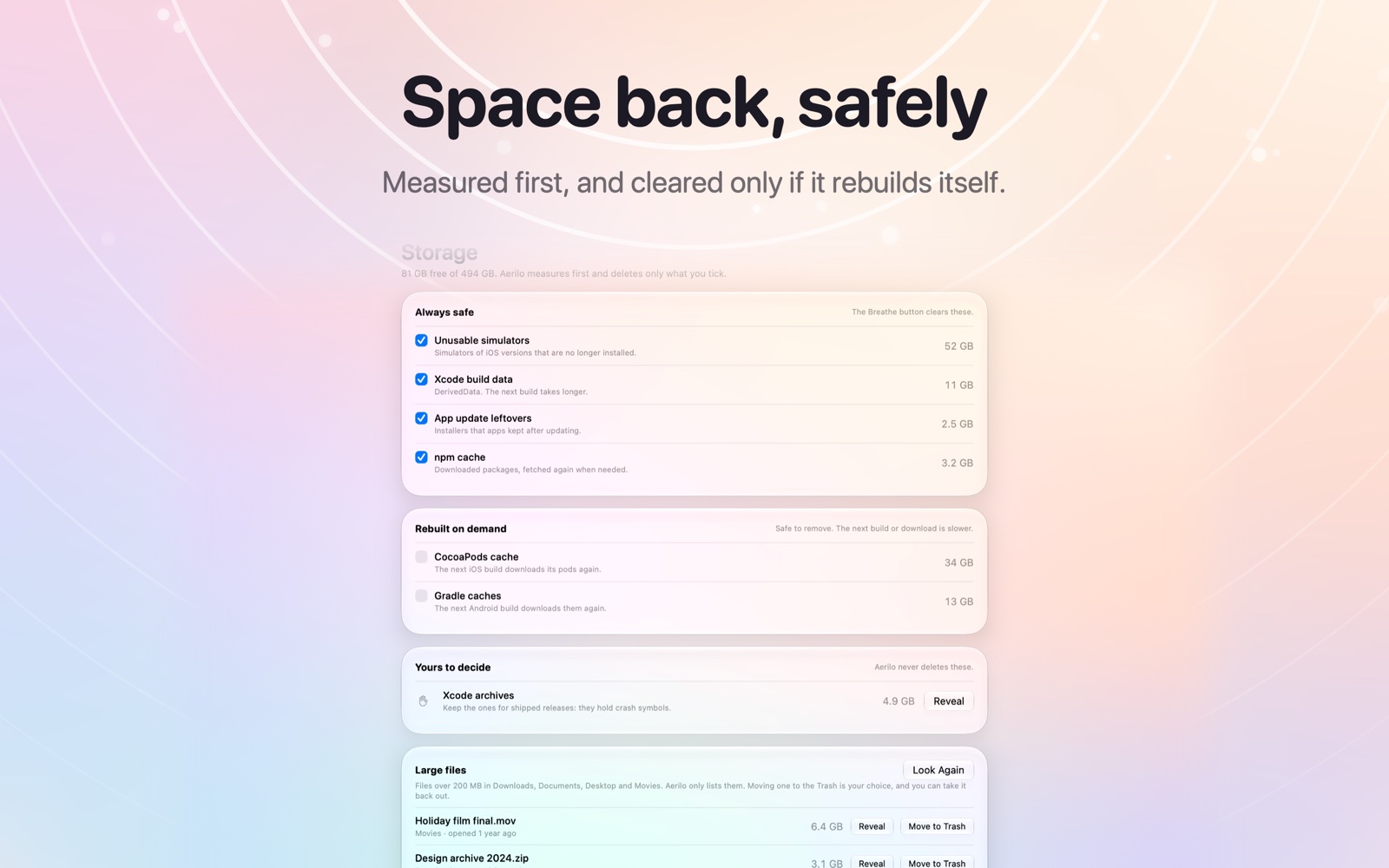
Space back, safely.
"System Data" on a Mac is mostly leftovers. Aerilo sorts them into three groups, and the button only clears the first.
- Always safe. Cleared by the button.
- Rebuilt on demand. You tick these. The next build or download is slower.
- Yours to decide. Aerilo shows them in Finder and never deletes them.
- Large files. Found and listed. Moving one to the Trash is always your click.
On iPhone, iPad, Apple TV and Vision Pro
There, Aerilo's one button tidies your photo library: duplicates, similar shots, old screenshots, WhatsApp media, screen recordings and your largest videos. You review everything first, and nothing leaves your device. The Mac app has the same photo tidying built in.
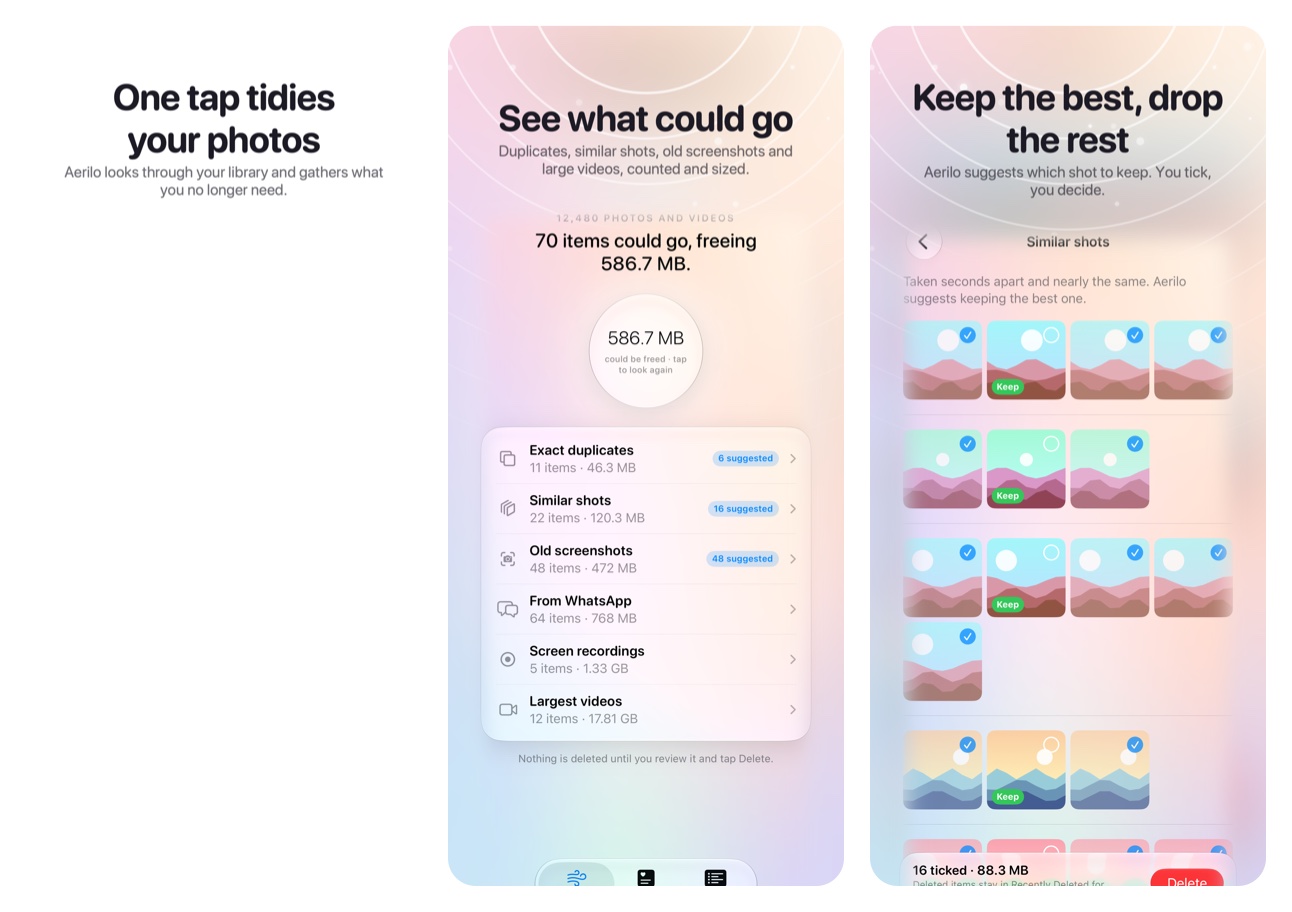
Coming to the App Store for iPhone, iPad, Apple TV, Apple Vision Pro and Mac.
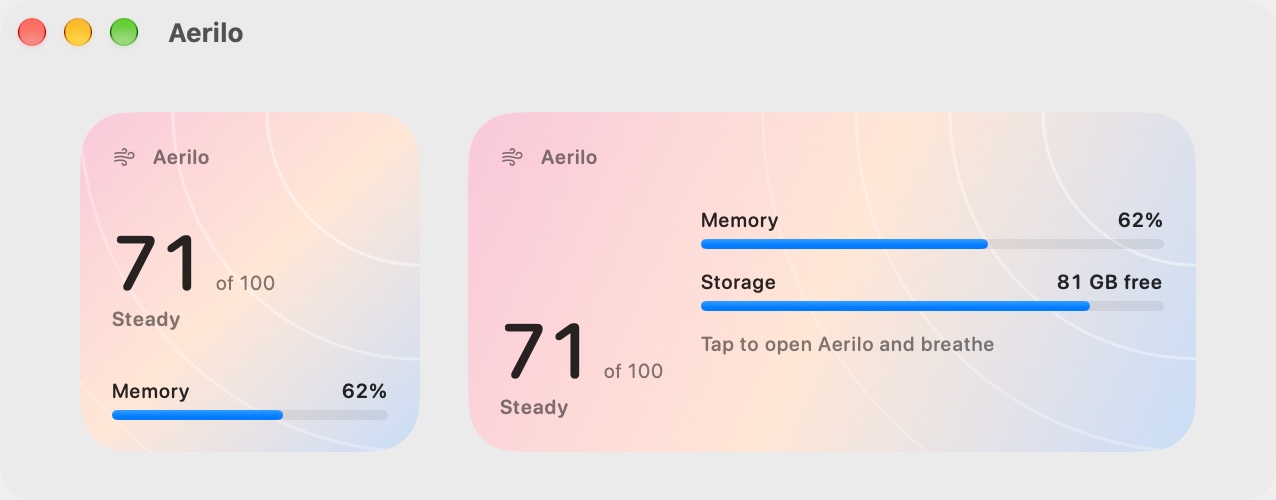
A glance is enough.
The widget puts your Mac's health, memory and free storage on the desktop, and free storage on your iPhone's Home Screen.
What happens on your Mac stays on your Mac.
Aerilo has no account, no analytics and no server. Its assistant uses Apple's on-device model, so nothing about your apps or files is sent anywhere.
No data collected
The only connection Aerilo makes is a daily check for a new version, which you can turn off.
On-device intelligence
Reasoning runs with Apple Intelligence on your Mac. Without it, Aerilo uses built-in rules.
A record you can share
Everything Aerilo measures, clears and skips goes into a log on your Mac. Export it for support or as an audit record; entries are chained together, so accidental damage and casual edits show up.
Two ways to get Aerilo on a Mac
Both are free. Apple limits a few things for App Store apps, so the download can do three things more.
| Mac App Store | Download (open source) | |
|---|---|---|
| One-tap Breathe, health score, menu bar | Yes | Yes |
| Memory and processor use per app, stuck apps, growing memory | Yes | Yes |
| On-device assistant, Siri and Shortcuts | Yes | Yes |
| Look inside an app's tabs, extensions and tools | See them | See them and free one |
| Photo tidying, large-file finder, widget | Yes | Yes |
| Step-by-step status and shareable activity log | Yes | Yes |
| Clear caches in your Home folder | Yes, after you allow the folder | Yes |
| Quit an app from Aerilo | Brings it forward for you | Yes |
| Network use per app | No | Yes |
| Remove unusable Xcode simulators | No | Yes |
Questions
Will Aerilo delete my files?
No. The button only clears caches and leftovers that apps rebuild by themselves. Anything that could matter to you is listed for you to decide, and Aerilo never deletes it.
Does it "free RAM"?
Not by force. macOS manages memory well, and apps that purge it make a Mac slower. Aerilo finds the app that holds too much or keeps growing and offers to quit it, which is what actually helps.
Can it tell me an app has a memory leak?
It can tell you an app's memory has only gone up for minutes and never come back. That is the visible sign of a leak, and restarting the app gives the memory back.
Do I need Apple Intelligence?
No. With it, Aerilo reasons about your Mac and answers questions. Without it, Aerilo ranks the same findings with built-in rules.
Is there an iPhone version?
Yes, with a different job. iOS doesn't let any app see or manage other apps, so on iPhone and iPad Aerilo tidies your photo library instead.